- This topic is empty.
-
AuthorPosts
-
25/05/2026 at 17:56 #5449
Introduction: The Rise of Electronic Hotel Door Locks
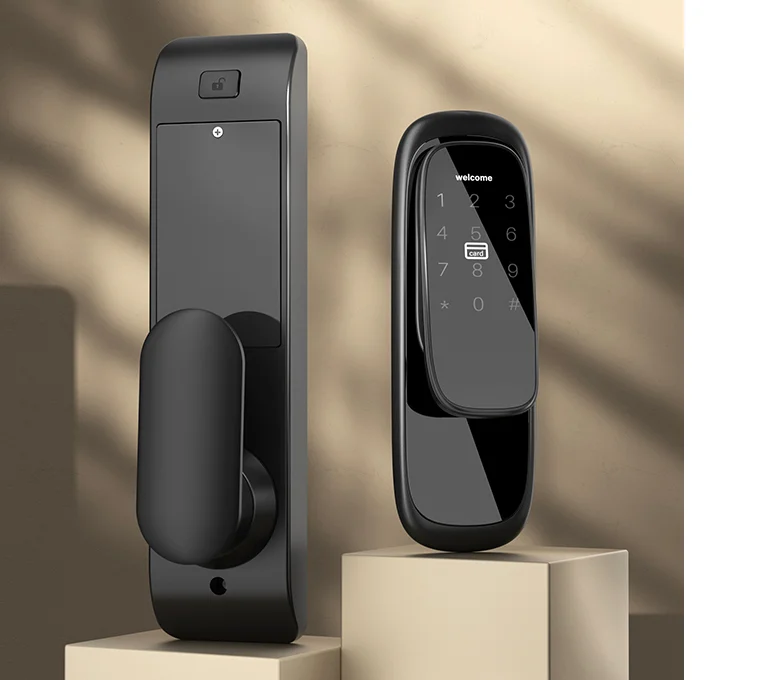
In the modern hospitality industry, electronic hotel door locks have become standard in enhancing guest security, streamlining check-in processes, and improving operational efficiency. Unlike traditional mechanical locks, electronic locks integrate advanced technologies such as RFID cards, mobile apps, Bluetooth, and cloud-based management systems. These systems not only offer convenience but also allow hotels to monitor and manage access centrally.
However, despite their many benefits, electronic hotel door locks are not immune to problems. Hotel operators often encounter issues that can disrupt guest experiences or compromise security. Understanding the common problems with electronic hotel door locks and how to fix them is essential for both maintenance teams and hotel managers to ensure smooth operations.
1. Dead Batteries
One of the most frequent issues with electronic hotel door locks is dead batteries. Since most locks operate on AA or lithium batteries, power depletion can prevent doors from unlocking.
Symptoms:
-
Lock does not respond when a card or mobile app is used
-
Indicator lights on the lock are off or flashing weakly
How to Fix:
-
Replace batteries immediately with the manufacturer’s recommended type
-
Keep a stock of backup batteries in the maintenance room
-
Implement a preventive maintenance schedule to check battery levels periodically
Some high-end locks also provide low-battery warnings well in advance, allowing staff to replace batteries before guests are affected.
2. Card or Key Issues
RFID or magnetic stripe cards are the primary way guests access rooms. Problems with cards can lead to frustration at the front desk and delays in check-in.
Common card issues include:
-
Card not being recognized by the lock
-
Card demagnetization
-
Expired or unregistered cards
How to Fix:
-
Ensure the card is programmed correctly in the hotel management system
-
Issue a replacement card if demagnetization occurs
-
Educate guests to keep cards away from magnets, phones, or other electronic devices
For hotels that use mobile key apps, connectivity issues or outdated app versions can mimic card problems. Updating the app or refreshing digital keys often resolves the issue.
3. Misaligned Locks or Doors
Even electronic locks can be affected by physical misalignment. A lock may fail to engage properly if the door frame shifts due to humidity, wear, or construction issues.
Symptoms:
-
Lock jams or cannot fully engage
-
Door appears stuck even though the lock mechanism works
How to Fix:
-
Check the alignment of the door and lock bolt
-
Adjust hinges or strike plates as necessary
-
Replace worn-out or bent components
Regular inspection of door frames and lock mechanisms reduces the risk of misalignment, which is especially common in hotels located in humid or high-traffic areas.
4. Software and System Glitches
Modern electronic hotel door locks often rely on management software for programming, monitoring, and reporting. Software issues can cause locks to malfunction.
Symptoms:
-
Locks do not register new cards
-
Remote access fails for mobile apps
-
System fails to update access permissions
How to Fix:
-
Restart the lock management system
-
Check for firmware or software updates from the lock manufacturer
-
Re-sync the lock with the central management system
Hotels should ensure that both software and firmware are always updated. Regular staff training in using the lock management software helps reduce errors during guest check-ins or system updates.
5. Signal Interference (for Wireless Locks)
Wireless locks using Wi-Fi or Bluetooth may encounter interference that affects functionality.
Symptoms:
-
Mobile key unlock fails intermittently
-
Remote monitoring does not display real-time status
How to Fix:
-
Identify sources of interference, such as thick walls or other wireless devices
-
Improve Wi-Fi signal strength or relocate routers
-
Consider using a mesh network or signal repeaters for better coverage
Proper placement of wireless gateways ensures reliable performance across the hotel property.
6. Lock Jamming or Mechanical Failures
Electronic locks still contain mechanical components, such as latch bolts and levers. Over time, these can wear out or jam.
Symptoms:
-
Lock makes unusual noises during operation
-
Bolt does not retract fully
-
Guest cannot open the door even with a valid card or app
How to Fix:
-
Clean and lubricate moving parts using manufacturer-approved lubricants
-
Replace worn-out components promptly
-
Schedule regular maintenance checks
Hotels should avoid DIY repairs on critical components and rely on certified technicians to maintain warranty coverage.
7. Unauthorized Access and Security Vulnerabilities
While electronic locks enhance security, they are not immune to hacking or tampering. Vulnerabilities can arise from outdated firmware or weak access control policies.
Symptoms:
-
Unusual access logs
-
Guests report doors opening without proper authentication
How to Fix:
-
Update lock firmware regularly
-
Enforce strong password policies for management software
-
Audit access logs frequently to detect suspicious activity
-
Use encryption and two-factor authentication for mobile access
Security best practices ensure that electronic hotel door locks fulfill their primary function: keeping guests and property safe.
8. Environmental Factors
Environmental conditions can affect electronic locks. Extreme temperatures, humidity, or exposure to direct sunlight can degrade electronic components.
Symptoms:
-
Lock becomes unresponsive in cold weather
-
Key cards or sensors fail due to moisture exposure
How to Fix:
-
Choose locks rated for local environmental conditions
-
Use weatherproof models for exterior doors
-
Inspect and maintain seals to prevent moisture ingress
Hotels in coastal or humid regions should be especially vigilant about moisture-related issues.
9. Guest User Error
Sometimes, the problem is not with the lock but with how guests operate it. Common user errors include:
-
Swiping cards incorrectly
-
Not holding mobile devices close enough to sensors
-
Entering incorrect PIN codes multiple times
How to Fix:
-
Provide clear instructions at check-in
-
Place user-friendly signage near locks
-
Train staff to assist guests quickly and politely
User education minimizes frustration and reduces maintenance call-outs.
Preventive Maintenance Tips for Hotel Electronic Locks
Prevention is always better than reactive repairs. Hotels can extend the life of electronic locks by:
-
Routine inspections: Check battery levels, card functionality, and lock alignment regularly.
-
Software updates: Apply firmware and software updates to fix bugs and security vulnerabilities.
-
Cleaning and lubrication: Keep mechanical parts clean and well-lubricated.
-
Staff training: Ensure hotel staff can troubleshoot minor issues and educate guests.
-
Spare parts inventory: Maintain stock of batteries, cards, and key mechanical components.
A proactive approach reduces downtime and enhances the guest experience.
Conclusion
Electronic hotel door locks offer unparalleled convenience, security, and operational efficiency compared to traditional locks. However, like any technology, they are prone to certain problems. From dead batteries and card issues to software glitches and environmental challenges, hotel staff must be prepared to address a range of potential issues.
By understanding common problems with electronic hotel door locks and how to fix them, hotel operators can ensure uninterrupted access, enhance guest satisfaction, and prolong the lifespan of their locks. Preventive maintenance, staff training, and timely software updates are key strategies that minimize disruptions and protect both guests and property.
Investing time and resources into proper lock management is not just about fixing problems—it’s about creating a seamless and secure hospitality experience that guests will remember positively.
http://www.coconano.net
coconano -
-
AuthorPosts

- You must be logged in to reply to this topic.